Introduction
The crosvm project is a hosted (a.k.a. type-2) virtual machine monitor.
crosvm runs untrusted operating systems along with virtualized devices. Initially intended to be used with KVM and Linux, crosvm supports multiple kinds of hypervisors. crosvm is focussed on safety within the programming language and a sandbox around the virtual devices to protect the host from attack in case of exploits in crosvm itself.
Other programs similar to crosvm are QEMU and VirtualBox. An operating system, made of a root file system image and a kernel binary, are given as input to crosvm and then crosvm will run the operating system using the platform's hypervisor.
- Source code
- GitHub mirror
- API documentation, useful for searching API.
- Files for this book are under /docs/.
- Issue tracker
Building Crosvm
This chapter includes how to set up crosvm on each platform.
Building for Linux
Checking out
Obtain the source code via git clone.
git clone https://chromium.googlesource.com/chromiumos/platform/crosvm
Setting up the development environment
Crosvm uses submodules to manage external dependencies. Initialize them via:
git submodule update --init
It is recommended to enable automatic recursive operations to keep the submodules in sync with the
main repository (But do not push them, as that can conflict with repo):
git config submodule.recurse true
git config push.recurseSubmodules no
Crosvm development best works on Debian derivatives. First install rust via https://rustup.rs/. Then for the rest, we provide a script to install the necessary packages on Debian:
./tools/install-deps
For other systems, please see below for instructions on Using the development container.
Setting up for cross-compilation
Crosvm is built and tested on x86, aarch64 and armhf. Your host needs to be set up to allow installation of foreign architecture packages.
On Debian this is as easy as:
sudo dpkg --add-architecture arm64
sudo dpkg --add-architecture armhf
sudo apt update
On ubuntu this is a little harder and needs some manual modifications of APT sources.
For other systems (including gLinux), please see below for instructions on Using the development container.
With that enabled, the following scripts will install the needed packages:
./tools/install-aarch64-deps
./tools/install-armhf-deps
Using the development container
We provide a Debian container with the required packages installed. With Docker installed, it can be started with:
./tools/dev_container
The container image is big and may take a while to download when first used. Once started, you can follow all instructions in this document within the container shell.
Instead of using the interactive shell, commands to execute can be provided directly:
./tools/dev_container cargo build
Note: The container and build artifacts are preserved between calls to ./tools/dev_container. If
you wish to start fresh, use the --reset flag.
Building a binary
If you simply want to try crosvm, run cargo build. Then the binary is generated at
./target/debug/crosvm. Now you can move to Example Usage.
If you want to enable additional features, use the --features
flag. (e.g. cargo build --features=gdb)
Development
Iterative development
You can use cargo as usual for crosvm development to cargo build and cargo test single crates
that you are working on.
If you are working on aarch64 specific code, you can use the set_test_target tool to instruct
cargo to build for aarch64 and run tests on a VM:
./tools/set_test_target vm:aarch64 && source .envrc
cd mycrate && cargo test
The script will start a VM for testing and write environment variables for cargo to .envrc. With
those cargo build will build for aarch64 and cargo test will run tests inside the VM.
The aarch64 VM can be managed with the ./tools/aarch64vm script.
Running all tests
Crosvm cannot use cargo test --workspace because of various restrictions of cargo. So we have our
own test runner:
./tools/run_tests
Which will run all tests locally. Since we have some architecture-dependent code, we also have the option of running tests within an aarch64 VM:
./tools/run_tests --target=vm:aarch64
When working on a machine that does not support cross-compilation (e.g. gLinux), you can use the dev container to build and run the tests.
./tools/dev_container ./tools/run_tests --target=vm:aarch64
It is also possible to run tests on a remote machine via ssh. The target architecture is automatically detected:
./tools/run_tests --target=ssh:hostname
However, it is your responsibility to make sure the required libraries for crosvm are installed and
password-less authentication is set up. See ./tools/impl/testvm/cloud_init.yaml for hints on what
the VM has installed.
Presubmit checks
To verify changes before submitting, use the presubmit script:
./tools/presubmit
This will run clippy, formatters and runs all tests. The presubmits will use the dev container to build for other platforms if your host is not set up to do so.
To run checks faster, they can be run in parallel in multiple tmux panes:
./tools/presubmit --tmux
The --quick variant will skip some slower checks, like building for other platforms altogether:
./tools/presubmit --quick
Known issues
- By default, crosvm is running devices in sandboxed mode, which requires seccomp policy files to be
set up. For local testing it is often easier to
--disable-sandboxto run everything in a single process. - If your Linux header files are too old, you may find minijail rejecting seccomp filters for
containing unknown syscalls. You can try removing the offending lines from the filter file, or add
--seccomp-log-failuresto the crosvm command line to turn these into warnings. Note that this option will also stop minijail from killing processes that violate the seccomp rule, making the sandboxing much less aggressive. - Seccomp policy files have hardcoded absolute paths. You can either fix up the paths locally, or
set up an awesome hacky symlink:
sudo mkdir /usr/share/policy && sudo ln -s /path/to/crosvm/seccomp/x86_64 /usr/share/policy/crosvm. We'll eventually build the precompiled policies into the crosvm binary. - Devices can't be jailed if
/var/emptydoesn't exist.sudo mkdir -p /var/emptyto work around this for now. - You need read/write permissions for
/dev/kvmto run tests or other crosvm instances. Usually it's owned by thekvmgroup, sosudo usermod -a -G kvm $USERand then log out and back in again to fix this. - Some other features (networking) require
CAP_NET_ADMINso those usually need to be run as root.
Building for ChromeOS
crosvm is included in the ChromeOS source tree at src/platform/crosvm. Crosvm can be built with
ChromeOS features using Portage or cargo.
If ChromeOS-specific features are not needed, or you want to run the full test suite of crosvm, the Building for Linux workflows can be used from the crosvm repository of ChromeOS as well.
Using Portage
crosvm on ChromeOS is usually built with Portage, so it follows the same general workflow as any
cros_workon package. The full package name is chromeos-base/crosvm.
See the Chromium OS developer guide for more on how to build and deploy with Portage.
NOTE:
cros_workon_makemodifies crosvm's Cargo.toml and Cargo.lock. Please be careful not to commit the changes. Moreover, with the changes cargo will fail to build and clippy preupload check will fail.
Using Cargo
Since development using portage can be slow, it's possible to build crosvm for ChromeOS using cargo
for faster iteration times. To do so, the Cargo.toml file needs to be updated to point to
dependencies provided by ChromeOS using ./tools/chromeos/setup_cargo.
Running Crosvm
This chapter includes instructions on how to run crosvm.
- Example Usage: Functioning examples to get started.
- Advanced Usage: Details on how to enable and configure features and devices of crosvm.
- Custom Kernel / Rootfs: Instructions on how to build a kernel and rootfs for crosvm.
- System Requirements: Host and guest requirements for running crosvm
- Features: Feature flags available when building crosvm
- Devices: Devices provided by crosvm
Example Usage
This section will explain how to use a prebuilt Ubuntu image as the guest OS. If you want to prepare a kernel and rootfs by yourself, please see Building crosvm.
The example code for this guide is available in tools/examples
Run a simple Guest OS (usig virt-builder)
To run a VM with crosvm, we need two things: A kernel binary and a rootfs. You can build those yourself or use prebuilt cloud/vm images that some linux distributions provide.
Preparing the guest OS image
One of the more convenient ways to customize these VM images is to use virt-builder from the
libguestfs-tools package.
    # Build a simple ubuntu image and create a user with no password.
    virt-builder ubuntu-20.04 \
        --run-command "useradd -m -g sudo -p '' $USER ; chage -d 0 $USER" \
        -o ./rootfs
Extract the Kernel (And initrd)
Crosvm directly runs the kernel instead of using the bootloader. So we need to extract the kernel binary from the image. virt-builder has a tool for that:
virt-builder --get-kernel ./rootfs -o .
The kernel binary is going to be saved in the same directory.
Note: Most distributions use an init ramdisk, which is extracted at the same time and needs to be passed to crosvm as well.
Launch the VM
With all the files in place, crosvm can be run:
# Run crosvm without sandboxing.
# The rootfs is an image of a partitioned hard drive, so we need to tell
# the kernel which partition to use (vda5 in case of ubuntu-20.04).
cargo run --features=all-linux -- run \
    --disable-sandbox \
    --rwroot ./rootfs \
    --initrd ./initrd.img-* \
    -p "root=/dev/vda5" \
    ./vmlinuz-*
The full source for this example can be executed directly:
./tools/examples/example_simple
Add Networking Support
Networking support is easiest set up with a TAP device on the host, which can be done with:
./tools/examples/setup_networking
The script will create a TAP device called crosvm_tap and sets up routing. For details, see the
instructions for network devices.
With the crosvm_tap in place we can use it when running crosvm:
# Use the previously configured crosvm_tap device for networking.
cargo run -- run \
    --disable-sandbox \
    --rwroot ./rootfs \
    --initrd ./initrd.img-* \
    --tap-name crosvm_tap \
    -p "root=/dev/vda5" \
    ./vmlinuz-*
To use the network device in the guest, we need to assign it a static IP address. In our example guest this can be done via a netplan config:
# Configure network with static IP 192.168.10.2

network:
    version: 2
    renderer: networkd
    ethernets:
        enp0s4:
            addresses: [192.168.10.2/24]
            nameservers:
                addresses: [8.8.8.8]
            gateway4: 192.168.10.1
Which can be installed when building the VM image:
    builder_args=(
        # Create user with no password.
        --run-command "useradd -m -g sudo -p '' $USER ; chage -d 0 $USER"

        # Configure network via netplan config in 01-netcfg.yaml
        --hostname crosvm-test
        --copy-in "$SRC/guest/01-netcfg.yaml:/etc/netplan/"

        # Install sshd and authorized key for the user.
        --install openssh-server
        --ssh-inject "$USER:file:$HOME/.ssh/id_rsa.pub"

        -o rootfs
    )
    virt-builder ubuntu-20.04 "${builder_args[@]}"
This also allows us to use SSH to access the VM. The script above will install your
~/.ssh/id_rsa.pub into the VM, so you'll be able to SSH from the host to the guest with no
password:
ssh 192.168.10.2
The full source for this example can be executed directly:
./tools/examples/example_network
Add GUI support
First you'll want to add some desktop environment to the VM image:
    builder_args=(
        # Create user with no password.
        --run-command "useradd -m -g sudo -p '' $USER ; chage -d 0 $USER"

        # Configure network. See ./example_network
        --hostname crosvm-test
        --copy-in "$SRC/guest/01-netcfg.yaml:/etc/netplan/"

        # Install a desktop environment to launch
        --install xfce4

        -o rootfs
    )
    virt-builder ubuntu-20.04 "${builder_args[@]}"
Then you can use the --gpu argument to specify how gpu output of the VM should be handled. In this
example we are using the virglrenderer backend and output into an X11 window on the host.
# Enable the GPU and keyboard/mouse input. Since this will be a much heavier
# system to run we also need to increase the cpu/memory given to the VM.
# Note: GDM does not allow you to set your password on first login, you have to
#       log in on the command line first to set a password.
cargo run --features=gpu,x,virgl_renderer -- run \
    --cpus 4 \
    --mem 4096 \
    --disable-sandbox \
    --gpu backend=virglrenderer,width=1920,height=1080 \
    --display-window-keyboard \
    --display-window-mouse \
    --tap-name crosvm_tap \
    --rwroot ./rootfs \
    --initrd ./initrd.img-* \
    -p "root=/dev/vda5" \
    ./vmlinuz-*
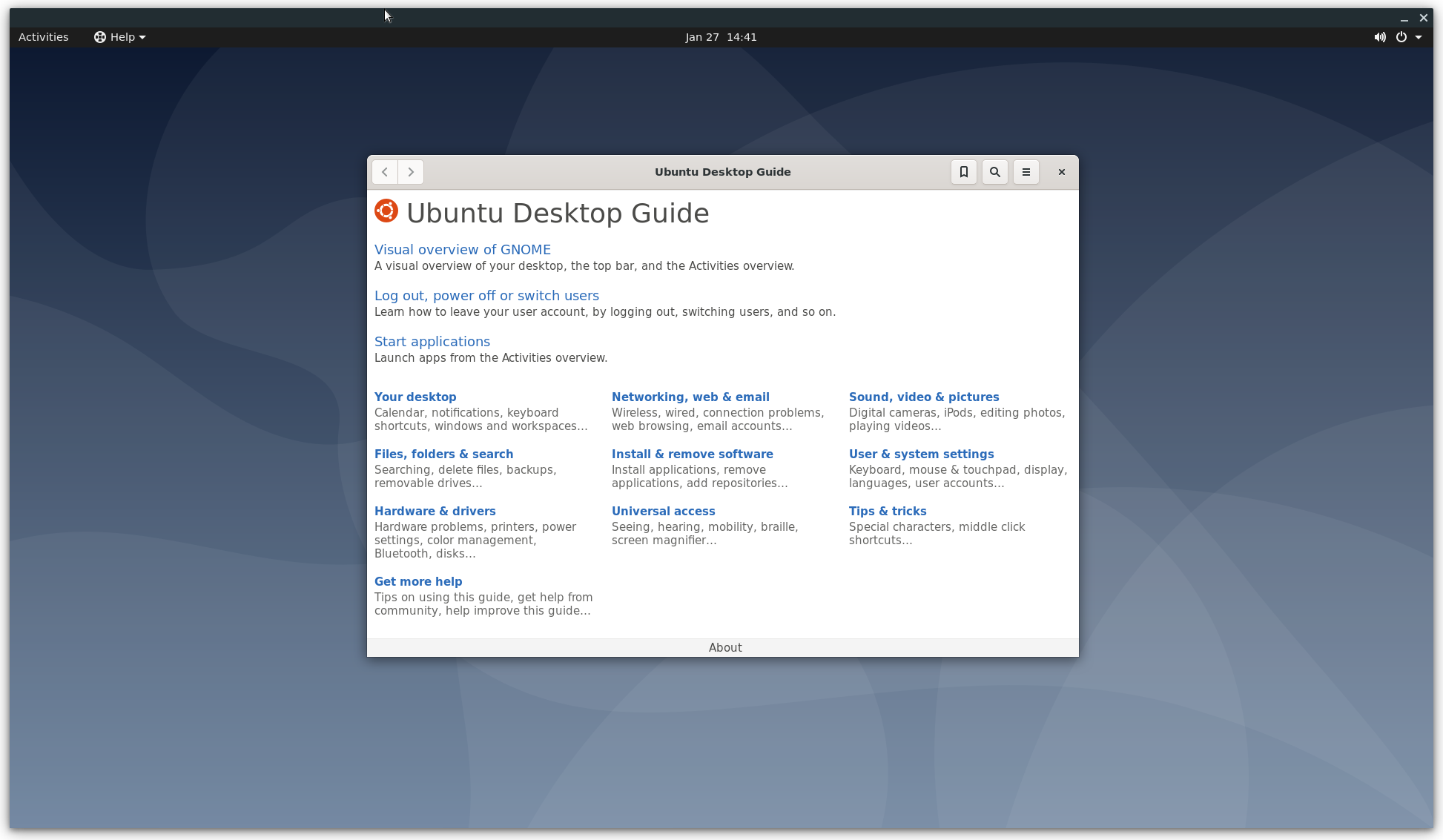
The full source for this example can be executed directly (Note, you may want to run setup_networking first):
./tools/examples/example_desktop
Advanced Usage
To see the usage information for your version of crosvm, run crosvm or crosvm run --help.
Boot a Kernel
To run a very basic VM with just a kernel and default devices:
crosvm run "${KERNEL_PATH}"
The uncompressed kernel image, also known as vmlinux, can be found in your kernel build directory in
the case of x86 at arch/x86/boot/compressed/vmlinux.
Rootfs
With a disk image
In most cases, you will want to give the VM a virtual block device to use as a root file system:
crosvm run -r "${ROOT_IMAGE}" "${KERNEL_PATH}"
The root image must be a path to a disk image formatted in a way that the kernel can read. Typically
this is a squashfs image made with mksquashfs or an ext4 image made with mkfs.ext4. By using the
-r argument, the kernel is automatically told to use that image as the root, and therefore can
only be given once. More disks can be given with -d or --rwdisk if a writable disk is desired.
To run crosvm with a writable rootfs:
WARNING: Writable disks are at risk of corruption by a malicious or malfunctioning guest OS.
crosvm run --rwdisk "${ROOT_IMAGE}" -p "root=/dev/vda" vmlinux
NOTE: If more disks arguments are added prior to the desired rootfs image, the
root=/dev/vdamust be adjusted to the appropriate letter.
With virtiofs
Linux kernel 5.4+ is required for using virtiofs. This is convenient for testing. The file system must be named "mtd*" or "ubi*".
crosvm run --shared-dir "/:mtdfake:type=fs:cache=always" \
    -p "rootfstype=virtiofs root=mtdfake" vmlinux
Network device
The most convenient way to provide a network device to a guest is to setup a persistent TAP interface on the host. This section will explain how to do this for basic IPv4 connectivity.
sudo ip tuntap add mode tap user $USER vnet_hdr crosvm_tap
sudo ip addr add 192.168.10.1/24 dev crosvm_tap
sudo ip link set crosvm_tap up
These commands create a TAP interface named crosvm_tap that is accessible to the current user,
configure the host to use the IP address 192.168.10.1, and bring the interface up.
The next step is to make sure that traffic from/to this interface is properly routed:
sudo sysctl net.ipv4.ip_forward=1
# Network interface used to connect to the internet.
HOST_DEV=$(ip route get 8.8.8.8 | awk -- '{printf $5}')
sudo iptables -t nat -A POSTROUTING -o "${HOST_DEV}" -j MASQUERADE
sudo iptables -A FORWARD -i "${HOST_DEV}" -o crosvm_tap -m state --state RELATED,ESTABLISHED -j ACCEPT
sudo iptables -A FORWARD -i crosvm_tap -o "${HOST_DEV}" -j ACCEPT
The interface is now configured and can be used by crosvm:
crosvm run \
  ...
  --tap-name crosvm_tap \
  ...
Provided the guest kernel had support for VIRTIO_NET, the network device should be visible and
configurable from the guest:
# Replace with the actual network interface name of the guest
# (use "ip addr" to list the interfaces)
GUEST_DEV=enp0s5
sudo ip addr add 192.168.10.2/24 dev "${GUEST_DEV}"
sudo ip link set "${GUEST_DEV}" up
sudo ip route add default via 192.168.10.1
# "8.8.8.8" is chosen arbitrarily as a default, please replace with your local (or preferred global)
# DNS provider, which should be visible in `/etc/resolv.conf` on the host.
echo "nameserver 8.8.8.8" | sudo tee /etc/resolv.conf
These commands assign IP address 192.168.10.2 to the guest, activate the interface, and route all
network traffic to the host. The last line also ensures DNS will work.
Please refer to your distribution's documentation for instructions on how to make these settings persistent for the host and guest if desired.
Control Socket
If the control socket was enabled with -s, the main process can be controlled while crosvm is
running. To tell crosvm to stop and exit, for example:
NOTE: If the socket path given is for a directory, a socket name underneath that path will be generated based on crosvm's PID.
crosvm run -s /run/crosvm.sock ${USUAL_CROSVM_ARGS}
    <in another shell>
crosvm stop /run/crosvm.sock
WARNING: The guest OS will not be notified or gracefully shutdown.
This will cause the original crosvm process to exit in an orderly fashion, allowing it to clean up any OS resources that might have stuck around if crosvm were terminated early.
Multiprocess Mode
By default crosvm runs in multiprocess mode. Each device that supports running inside of a sandbox
will run in a jailed child process of crosvm. The appropriate minijail seccomp policy files must be
present either in /usr/share/policy/crosvm or in the path specified by the --seccomp-policy-dir
argument. The sandbox can be disabled for testing with the --disable-sandbox option.
Virtio Wayland
Virtio Wayland support requires special support on the part of the guest and as such is unlikely to
work out of the box unless you are using a Chrome OS kernel along with a termina rootfs.
To use it, ensure that the XDG_RUNTIME_DIR enviroment variable is set and that the path
$XDG_RUNTIME_DIR/wayland-0 points to the socket of the Wayland compositor you would like the guest
to use.
GDB Support
crosvm supports GDB Remote Serial Protocol to allow developers to debug guest kernel via GDB.
You can enable the feature by --gdb flag:
# Use uncompressed vmlinux
crosvm run --gdb <port> ${USUAL_CROSVM_ARGS} vmlinux
Then, you can start GDB in another shell.
gdb vmlinux
(gdb) target remote :<port>
(gdb) hbreak start_kernel
(gdb) c
<start booting in the other shell>
For general techniques for debugging the Linux kernel via GDB, see this kernel documentation.
Defaults
The following are crosvm's default arguments and how to override them.
- 256MB of memory (set with
-m) - 1 virtual CPU (set with
-c) - no block devices (set with
-r,-d, or--rwdisk) - no network (set with
--host_ip,--netmask, and--mac) - virtio wayland support if
XDG_RUNTIME_DIRenviroment variable is set (disable with--no-wl) - only the kernel arguments necessary to run with the supported devices (add more with
-p) - run in multiprocess mode (run in single process mode with
--disable-sandbox) - no control socket (set with
-s)
Custom Kernel / Rootfs
This document explains how to build a custom kernel and use debootstrab to build a rootfs for running crosvm.
For an easier way to get started with prebuilt images, see Example Usage
Build a kernel
The linux kernel in chromiumos comes preconfigured for running in a crosvm guest and is the easiest to build. You can use any mainline kernel though as long as it's configured for para-virtualized (virtio) devices
If you are using the chroot for Chromium OS development, you already have the kernel source. Otherwise, you can clone it:
git clone --depth 1 -b chromeos-5.10 https://chromium.googlesource.com/chromiumos/third_party/kernel
Either way that you get the kernel, the next steps are to configure and build the bzImage:
make chromiumos-container-vm-x86_64_defconfig
make -j$(nproc) bzImage
This kernel does not build any modules, nor does it support loading them, so there is no need to worry about an initramfs, although they are supported in crosvm.
Build a rootfs disk
This stage enjoys the most flexibility. There aren't any special requirements for a rootfs in
crosvm, but you will at a minimum need an init binary. This could even be /bin/bash if that is
enough for your purposes. To get you started, a Debian rootfs can be created with debootstrap.
Make sure to define $CHROOT_PATH.
truncate -s 20G debian.ext4
mkfs.ext4 debian.ext4
mkdir -p "${CHROOT_PATH}"
sudo mount debian.ext4 "${CHROOT_PATH}"
sudo debootstrap stable "${CHROOT_PATH}" http://deb.debian.org/debian/
sudo chroot "${CHROOT_PATH}"
passwd
echo "tmpfs /tmp tmpfs defaults 0 0" >> /etc/fstab
echo "tmpfs /var/log tmpfs defaults 0 0" >> /etc/fstab
echo "tmpfs /root tmpfs defaults 0 0" >> /etc/fstab
echo "sysfs /sys sysfs defaults 0 0" >> /etc/fstab
echo "proc /proc proc defaults 0 0" >> /etc/fstab
exit
sudo umount "${CHROOT_PATH}"
Note: If you run crosvm on a testing device (e.g. Chromebook in Developer mode), another option is to share the host's rootfs with the guest via virtiofs. See the virtiofs usage.
You can simply create a disk image as follows:
fallocate --length 4G disk.img
mkfs.ext4 ./disk.img
System Requirements
A Linux kernel with KVM support (check for /dev/kvm) is required to run crosvm. In order to run
certain devices, there are additional system requirements:
virtio-wayland- Thememfd_createsyscall, introduced in Linux 3.17, and a Wayland compositor.vsock- Host Linux kernel with vhost-vsock support, introduced in Linux 4.8.multiprocess- Host Linux kernel with seccomp-bpf and Linux namespacing support.virtio-net- Host Linux kernel with TUN/TAP support (check for/dev/net/tun) and running withCAP_NET_ADMINprivileges.
Features
These features can be enabled using cargo's --features flag. Refer to the top-level Cargo.toml
file to see which features are enabled by default.
audio
Enables experimental audio input/ouput to the host. Requires some Chrome OS specific dependencies and daemons currently.
chromeos
This option enables features specific to a Chrome OS environment. Examples of that are usage of non-upstream kernel security features in the Chrome OS kernel, which should be temporary until upstream catches up. Another example would be code to use Chrome OS system daemons like the low memory notifier.
These features exist because crosvm was historically a Chrome OS only project, but crosvm is intended to be OS agnostic now. If Chrome OS specific code is identified, it should be conditionally compiled in using this feature.
composite-disk
Enables the composite-disk format, which adds protobufs as a dependency of the build. This format is intended to speed up crosvm's usage in CI environments that might otherwise have to concatenate large file system images into a single disk image.
default-no-sandbox
This feature is useful only in testing so that the --disable-sandbox flag doesn't need to be
passed to crosvm every invocation. It is not secure to deploy crosvm with this flag.
direct
Enables a set of features to passthrough devices to the guest via VFIO.
gdb
Enables using gdb to debug the guest kernel.
gfxstream
Enables 3D acceleration for guest via the gfxstream protocol over virtio-gpu. This is used for
compatibility with the Android Emulator. The protocol provides the best speed and compatibility with
GL/vulkan versions by forwarding the guest's calls to the host's graphics libraries and GPU.
However, this means the sandbox is not enabled for the virtio-gpu device.
gpu
Enables basic virtio-gpu support. This includes basic display and input features, but lacks 3D acceleration in the absence of other crosvm features.
plugin
Enables the plugin mode of crosvm. The plugin mode delegates almost all device emulation to a sandboxed child process. Unless you know what you're doing, you almost certainly don't need this feature.
power-monitor-powerd
Enables emulation of a battery using the host's power information provided by powerd.
tpm
Enables trusted platform module emulation for the guest. This relies on the software emulated vTPM
implementation from libtpm2 which is suited only for testing purposes.
usb
Enables USB host device passthrough via an emulated XHCI controller.
video-decoder/video-encoder
Enables the unstable virtio video encoder or decoder devices.
virgl_renderer/virgl_renderer_next
Enables 3D acceleration for the guest via the virglrenderer library over virtio-gpu. The
virgl_renderer_next variant is used to enable in development features of virglrenderer to
support newer OpenGL versions.
wl
Enables the non-upstream virtio wayland protocol. This can be used in conjuction with the gpu
feature to enable a zero-copy display pipeline.
x
Enables the usage of the X11 protocol for display on the host.
Devices
This document lists emulated devices in crosvm.
Emulated Devices
CMOS/RTC- Used to get the current calendar time.i8042- Used by the guest kernel to exit crosvm.serial- x86 I/O port driven serial devices that print to stdout and take input from stdin.
VirtIO Devices
balloon- Allows the host to reclaim the guest's memories.block- Basic read/write block device.console- Input and outputs on console.fs- Shares file systems over the FUSE protocol.gpu- Graphics adapter.input- Creates virtual human interface devices such as keyboards.iommu- Emulates an IOMMU device to manage DMA from endpoints in the guest.net- Device to interface the host and guest networks.p9- Shares file systems over the 9P protocol.pmem- Persistent memory.rng- Entropy source used to seed guest OS's entropy pool.snd- Encodes and decodes audio streams.tpm- Creates a TPM (Trusted Platform Module) device backed by libtpm2 simulator.video- Encodes and decodes video streams.wayland- Allows the guest to use the host's Wayland socket.vsock- Enables use of virtual sockets for the guest.vhost-user- VirtIO devices which offloads the device implementation to another process through the vhost-user protocol.- vmm side: Shares its virtqueues.
- device side: Consumes virtqueues.
Architecture
The principle characteristics of crosvm are:
- A process per virtual device, made using fork
- Each process is sandboxed using minijail
- Takes full advantage of KVM and low-level Linux syscalls, and so only runs on Linux
- Written in Rust for security and safety
A typical session of crosvm starts in main.rs where command line parsing is done to build up a
Config structure. The Config is used by run_config in linux/mod.rs to setup and execute a
VM. Broken down into rough steps:
- Load the linux kernel from an ELF file.
- Create a handful of control sockets used by the virtual devices.
- Invoke the architecture specific VM builder
Arch::build_vm(located inx86_64/src/lib.rsoraarch64/src/lib.rs). Arch::build_vmwill itself invoke the providedcreate_devicesfunction fromlinux/mod.rscreate_devicescreates every PCI device, including the virtio devices, that were configured inConfig, along with matching minijail configs for each.Arch::generate_pci_root, using a list of every PCI device with optionalMinijail, will finally jail the PCI devices and construct aPciRootthat communicates with them.- Once the VM has been built, it's contained within a
RunnableLinuxVmobject that is used by the VCPUs and control loop to service requests until shutdown.
Forking
During the device creation routine, each device will be created and then wrapped in a ProxyDevice
which will internally fork (but not exec) and minijail the device, while dropping it for the
main process. The only interaction that the device is capable of having with the main process is via
the proxied trait methods of BusDevice, shared memory mappings such as the guest memory, and file
descriptors that were specifically allowed by that device's security policy. This can lead to some
surprising behavior to be aware of such as why some file descriptors which were once valid are now
invalid.
Sandboxing Policy
Every sandbox is made with minijail and starts with create_base_minijail in
linux/jail_helpers.rs which set some very restrictive settings. Linux namespaces and seccomp
filters are used extensively. Each seccomp policy can be found under
seccomp/{arch}/{device}.policy and should start by @include-ing the common_device.policy. With
the exception of architecture specific devices (such as Pl030 on ARM or I8042 on x86_64), every
device will need a different policy for each supported architecture.
The VM Control Sockets
For the operations that devices need to perform on the global VM state, such as mapping into guest memory address space, there are the vm control sockets. There are a few kinds, split by the type of request and response that the socket will process. This also proves basic security privilege separation in case a device becomes compromised by a malicious guest. For example, a rogue device that is able to allocate MSI routes would not be able to use the same socket to (de)register guest memory. During the device initialization stage, each device that requires some aspect of VM control will have a constructor that requires the corresponding control socket. The control socket will get preserved when the device is sandboxed and and the other side of the socket will be waited on in the main process's control loop.
The socket exposed by crosvm with the --socket command line argument is another form of the VM
control socket. Because the protocol of the control socket is internal and unstable, the only
supported way of using that resulting named unix domain socket is via crosvm command line
subcommands such as crosvm stop.
GuestMemory
GuestMemory and its friends VolatileMemory, VolatileSlice, MemoryMapping, and
SharedMemory, are common types used throughout crosvm to interact with guest memory. Know which
one to use in what place using some guidelines
GuestMemoryis for sending around references to all of the guest memory. It can be cloned freely, but the underlying guest memory is always the same. Internally, it's implemented usingMemoryMappingandSharedMemory. Note thatGuestMemoryis mapped into the host address space, but it is non-contiguous. Device memory, such as mapped DMA-Bufs, are not present inGuestMemory.SharedMemorywraps amemfdand can be mapped usingMemoryMappingto access its data.SharedMemorycan't be cloned.VolatileMemoryis a trait that exposes generic access to non-contiguous memory.GuestMemoryimplements this trait. Use this trait for functions that operate on a memory space but don't necessarily need it to be guest memory.VolatileSliceis analogous to a Rust slice, but unlike those, aVolatileSlicehas data that changes asynchronously by all those that reference it. Exclusive mutability and data synchronization are not available when it comes to aVolatileSlice. This type is useful for functions that operate on contiguous shared memory, such as a single entry from a scatter gather table, or for safe wrappers around functions which operate on pointers, such as areadorwritesyscall.MemoryMappingis a safe wrapper around anonymous and file mappings. Provides RAII and does munmap after use. Access via Rust references is forbidden, but indirect reading and writing is available viaVolatileSliceand several convenience functions. This type is most useful for mapping memory unrelated toGuestMemory.
Device Model
Bus/BusDevice
The root of the crosvm device model is the Bus structure and its friend the BusDevice trait. The
Bus structure is a virtual computer bus used to emulate the memory-mapped I/O bus and also I/O
ports for x86 VMs. On a read or write to an address on a VM's bus, the corresponding Bus object is
queried for a BusDevice that occupies that address. Bus will then forward the read/write to the
BusDevice. Because of this behavior, only one BusDevice may exist at any given address. However,
a BusDevice may be placed at more than one address range. Depending on how a BusDevice was
inserted into the Bus, the forwarded read/write will be relative to 0 or to the start of the
address range that the BusDevice occupies (which would be ambiguous if the BusDevice occupied
more than one range).
Only the base address of a multi-byte read/write is used to search for a device, so a device
implementation should be aware that the last address of a single read/write may be outside its
address range. For example, if a BusDevice was inserted at base address 0x1000 with a length of
0x40, a 4-byte read by a VCPU at 0x39 would be forwarded to that BusDevice.
Each BusDevice is reference counted and wrapped in a mutex, so implementations of BusDevice need
not worry about synchronizing their access across multiple VCPUs and threads. Each VCPU will get a
complete copy of the Bus, so there is no contention for querying the Bus about an address. Once
the BusDevice is found, the Bus will acquire an exclusive lock to the device and forward the
VCPU's read/write. The implementation of the BusDevice will block execution of the VCPU that
invoked it, as well as any other VCPU attempting access, until it returns from its method.
Most devices in crosvm do not implement BusDevice directly, but some are examples are i8042 and
Serial. With the exception of PCI devices, all devices are inserted by architecture specific code
(which may call into the architecture-neutral arch crate). A BusDevice can be proxied to a
sandboxed process using ProxyDevice, which will create the second process using a fork, with no
exec.
PciConfigIo/PciConfigMmio
In order to use the more complex PCI bus, there are a couple adapters that implement BusDevice and
call into a PciRoot with higher level calls to config_space_read/config_space_write. The
PciConfigMmio is a BusDevice for insertion into the MMIO Bus for ARM devices. For x86_64,
PciConfigIo is inserted into the I/O port Bus. There is only one implementation of PciRoot
that is used by either of the PciConfig* structures. Because these devices are very simple, they
have very little code or state. They aren't sandboxed and are run as part of the main process.
PciRoot/PciDevice/VirtioPciDevice
The PciRoot, analogous to BusDevice for Buss, contains all the PciDevice trait objects.
Because of a shortcut (or hack), the ProxyDevice only supports jailing BusDevice traits.
Therefore, PciRoot only contains BusDevices, even though they also implement PciDevice. In
fact, every PciDevice also implements BusDevice because of a blanket implementation
(impl<T: PciDevice> BusDevice for T { … }). There are a few PCI related methods in BusDevice to
allow the PciRoot to still communicate with the underlying PciDevice (yes, this abstraction is
very leaky). Most devices will not implement PciDevice directly, instead using the
VirtioPciDevice implementation for virtio devices, but the xHCI (USB) controller is an example
that implements PciDevice directly. The VirtioPciDevice is an implementation of PciDevice that
wraps a VirtioDevice, which is how the virtio specified PCI transport is adapted to a transport
agnostic VirtioDevice implementation.
VirtioDevice
The VirtioDevice is the most widely implemented trait among the device traits. Each of the
different virtio devices (block, rng, net, etc.) implement this trait directly and they follow a
similar pattern. Most of the trait methods are easily filled in with basic information about the
specific device, but activate will be the heart of the implementation. It's called by the virtio
transport after the guest's driver has indicated the device has been configured and is ready to run.
The virtio device implementation will receive the run time related resources (GuestMemory,
Interrupt, etc.) for processing virtio queues and associated interrupts via the arguments to
activate, but activate can't spend its time actually processing the queues. A VCPU will be
blocked as long as activate is running. Every device uses activate to launch a worker thread
that takes ownership of run time resources to do the actual processing. There is some subtlety in
dealing with virtio queues, so the smart thing to do is copy a simpler device and adapt it, such as
the rng device (rng.rs).
Communication Framework
Because of the multi-process nature of crosvm, communication is done over several IPC primitives.
The common ones are shared memory pages, unix sockets, anonymous pipes, and various other file
descriptor variants (DMA-buf, eventfd, etc.). Standard methods (read/write) of using these
primitives may be used, but crosvm has developed some helpers which should be used where applicable.
PollContext/EpollContext
Most threads in crosvm will have a wait loop using a PollContext, which is a wrapper around
Linux's epoll primitive for selecting over file descriptors. EpollContext is very similar but
has slightly fewer features, but is usable by multiple threads at once. In either case, each FD is
added to the context along with an associated token, whose type is the type parameter of
PollContext. This token must be convertible to and from a u64, which is a limitation imposed by
how epoll works. There is a custom derive #[derive(PollToken)] which can be applied to an enum
declaration that makes it easy to use your own enum in a PollContext.
Note that the limitations of PollContext are the same as the limitations of epoll. The same FD
can not be inserted more than once, and the FD will be automatically removed if the process runs out
of references to that FD. A dup/fork call will increment that reference count, so closing the
original FD will not actually remove it from the PollContext. It is possible to receive tokens
from PollContext for an FD that was closed because of a race condition in which an event was
registered in the background before the close happened. Best practice is to remove an FD before
closing it so that events associated with it can be reliably eliminated.
serde with Descriptors.
Using raw sockets and pipes to communicate is very inconvenient for rich data types. To help make
this easier and less error prone, crosvm uses the serde crate. To allow transmitting types with
embedded descriptors (FDs on Linux or HANDLEs on Windows), a module is provided for sending and
receiving descriptors alongside the plain old bytes that serde consumes.
Code Map
Source code is organized into crates, each with their own unit tests.
./src/- The top-level binary front-end for using crosvm.aarch64- Support code specific to 64 bit ARM architectures.base- Safe wrappers for small system facilities which provides cross-platform-compatible interfaces. For Linux, this is basically a thin wrapper ofsys_util.bin- Scripts for code health such as wrappers ofrustfmtandclippy.ci- Scripts for continuous integration.cros_async- Runtime for async/await programming. This crate provides aFutureexecutor based onio_uringand one based onepoll.devices- Virtual devices exposed to the guest OS.disk- Library to create and manipulate several types of disks such as raw disk, qcow, etc.hypervisor- Abstract layer to interact with hypervisors. For Linux, this crate is a wrapper ofkvm.integration_tests- End-to-end tests that run a crosvm VM.kernel_loader- Loads elf64 kernel files to a slice of memory.kvm_sys- Low-level (mostly) auto-generated structures and constants for using KVM.kvm- Unsafe, low-level wrapper code for usingkvm_sys.libvda- Safe wrapper of libvda, a Chrome OS HW-accelerated video decoding/encoding library.net_sys- Low-level (mostly) auto-generated structures and constants for creating TUN/TAP devices.net_util- Wrapper for creating TUN/TAP devices.qcow_util- A library and a binary to manipulate qcow disks.seccomp- Contains minijail seccomp policy files for each sandboxed device. Because some syscalls vary by architecture, the seccomp policies are split by architecture.sync- Our version ofstd::sync::Mutexandstd::sync::Condvar.sys_util- Mostly safe wrappers for small system facilities such aseventfdorsyslog.third_party- Third-party libraries which we are maintaining on the Chrome OS tree or the AOSP tree.vfio_sys- Low-level (mostly) auto-generated structures, constants and ioctls for VFIO.vhost- Wrappers for creating vhost based devices.virtio_sys- Low-level (mostly) auto-generated structures and constants for interfacing with kernel vhost support.vm_control- IPC for the VM.vm_memory- Vm-specific memory objects.x86_64- Support code specific to 64 bit intel machines.
Contributing
Intro
This article goes into detail about multiple areas of interest to contributors, which includes reviewers, developers, and integrators who each share an interest in guiding crosvm's direction.
Contributor License Agreement
Contributions to this project must be accompanied by a Contributor License Agreement (CLA). You (or your employer) retain the copyright to your contribution; this simply gives us permission to use and redistribute your contributions as part of the project. Head over to https://cla.developers.google.com/ to see your current agreements on file or to sign a new one.
You generally only need to submit a CLA once, so if you've already submitted one (even if it was for a different project), you probably don't need to do it again.
Bug Reports
We use the Chromium issue tracker. Please use
OS>Systems>Containers
component.
Philosophy
The following is high level guidance for producing contributions to crosvm.
- Prefer mechanism to policy.
- Use existing protocols when they are adequate, such as virtio.
- Prefer security over code re-use and speed of development.
- Only the version of Rust in use by the Chrome OS toolchain is supported. This is ordinarily the stable version of Rust, but can be behind a version for a few weeks.
- Avoid distribution specific code.
Code Health
Scripts
In the bin/ directory of the crosvm repository, there is the clippy script which lints the Rust
code and the fmt script which will format the crosvm Rust code inplace.
Running tests
The ./test_all script will use docker containers to run all tests for crosvm.
For more details on using the docker containers for running tests locally, including faster,
iterative test runs, see ci/README.md.
Style guidelines
To format all code, crosvm defers to rustfmt. In addition, the code adheres to the following rules:
The use statements for each module should be grouped in this order
std- third-party crates
- chrome os crates
- crosvm crates
crate
crosvm uses the remain crate to keep error enums sorted, along
with the #[sorted] attribute to keep their corresponding match statements in the same order.
Submitting Code
Since crosvm is one of Chromium OS projects, please read through Chrome OS Contributing Guide first. This section describes the crosvm-specific workflow.
Trying crosvm
Please see the book of crosvm.
Sending for code review
We use Chromium Gerrit for code reviewing. All crosvm CLs are listed at the crosvm component.
Note: We don't accept any pull requests on the GitHub mirror.
For Chromium OS Developers {#chromiumos-cl}
If you have already set up the chromiumos repository and the repo command, you can simply create
and upload your CL in a similar manner as other Chromium OS projects.
repo start will create a branch tracking cros/chromeos so you can develop with the latest,
CQ-tested code as a foundation.
However, changes are not acceped to the cros/chromeos branch, and should be submitted to
cros/main instead.
Use repo upload -D main to upload changes to the main branch, which works fine in most cases where
gerrit can rebase the commit cleanly. If not, please rebase to cros/main manually.
For non-Chromium OS Developers
If you are not interested in other Chromium OS components, you can simply clone and contribute crosvm only. Before you make a commit locally, please set up Gerrit's Change-Id hook on your system.
# Modify code and make a git commit with a commit message following this rule:
# https://chromium.googlesource.com/chromiumos/docs/+/HEAD/contributing.md#Commit-messages
git commit
# Push your commit to Chromium Gerrit (https://chromium-review.googlesource.com/).
git push origin HEAD:refs/for/main
Code review
Your change must be reviewed and approved by one of crosvm owners.
Presubmit checking {#presubmit}
Once your change is reviewed, it will need to go through two layers of presubmit checks.
The review will trigger Kokoro to run crosvm specific tests. If you want to check kokoro results before a review, you can set 'Commit Queue +1' in gerrit to trigger a dry-run.
If you upload further changes after the you were given 'Code Review +2', Kokoro will automatically trigger another test run. But you can also always comment 'kokoro rerun' to manually trigger another build if needed.
When Kokoro passes, it will set Verified +1 and the change is ready to be sent to the ChromeOS commit queue by setting CQ+2.
Note: This is different from other ChromeOS repositories, where Verified +1 bit is set by the developers to indicate that they successfully tested a change. The Verified bit can only be set by Kokoro in the crosvm repository.
Postsubmit merging to Chrome OS {#chromiumos-postsubmit}
Crosvm has a unique setup to integrate with ChromeOS infrastructure.
The chromeos checkout tracks the cros/chromeos branch of crosvm, not the cros/main branch.
While upstream development is happening on the main branch, changes submitted to that branch are
only tested by the crosvm kokoro CI system, not by the ChromeOS CQ.
There is a
daily process
that creates a commit to merge changes from main into the chromeos branch, which is then tested
through the CQ and watched by the crosvm-uprev rotation.
Contributing to the documentation
The book of crosvm is build with mdBook. Each markdown files must follow Google Markdown style guide.
To render the book locally, you need to install mdbook and mdbook-mermaid, which should be
installed when you run ./tools/install-depsscript.
cd crosvm/docs/book/
mdbook build
Note: If you make a certain size of changes, it's recommended to reinstall mdbook manually with
cargo install mdbook, as./tools/install-depsonly installs a binary with some convenient features disabled. For example, the full version of mdbook allows you to edit files while checking rendered results.
Onboarding Resources
Various links to useful resources for learning about virtual machines and the technology behind crosvm.
Talks
Chrome University by zachr (2018, 30m)
- Life of a Crostini VM (user click -> terminal opens)
- All those French daemons (Concierge, Maitred, Garcon, Sommelier)
NYULG: Crostini by zachr / reveman (2018, 50m)
- Overlaps Chrome University talk
- More details on wayland / sommelier from reveman
- More details on crostini integration of app icons, files, clipboard
- Lots of demos
Introductory Resources
OS Basics
- OSDev Wiki (A lot of articles on OS development)
- PCI Enumeration (Most of our devices are on PCI, this is how they are found)
- ACPI Source Language Tutorial
Rust
- Rust Cheat Sheet Beautiful website with idiomatic rust examples, overview of pointer- and container types
- Rust Programming Tipz (with a z, that’s how you know it’s cool!)
- Rust design patterns repo
- Organized collection of blog posts on various Rust topics
KVM Virtualization
- Low-level tutorial on how to run code via KVM
- KVM Hello World sample program (host + guest)
- KVM API docs
- Awesome Virtualization (Definitely check out the Hypervisor Development section)
Virtio (device emulation)
- Good overview of virtio architecture from IBM
- Virtio drivers overview by RedHat
- Virtio specs (so exciting, I can’t stop reading)
- Basics of devices in QEMU
VFIO (Device passthrough)
Virtualization History and Basics
- By the end of this section you should be able to answer the following questions
- What problems do VMs solve?
- What is trap-and-emulate?
- Why was the x86 instruction set not “virtualizable” with just trap-and-emulate?
- What is binary translation? Why is it required?
- What is a hypervisor? What is a VMM? What is the difference? (If any)
- What problem does paravirtualization solve?
- What is the virtualization model we use with Crostini?
- What is our hypervisor?
- What is our VMM?
- CMU slides go over motivation, why x86 instruction set wasn’t “virtualizable” and the good old trap-and-emulate
- Why Intel VMX was needed; what does it do (Link)
- What is a VMM and what does it do (Link)
- Building a super simple VMM blog article (Link)
Relevant Specs
Appendix
The following sections contain reference material you may find useful when working on crosvm. Note that some of contents might be outdated.
Sandboxing
%%{init: {'theme':'base'}}%%
graph BT
    subgraph guest
        subgraph guest_kernel
            virtio_blk_driver
            virtio_net_driver
        end
    end
    subgraph crosvm Process
        vcpu0:::vcpu
        vcpu1:::vcpu
        subgraph device_proc0[Device Process]
            virtio_blk --- virtio_blk_driver
            disk_fd[(Disk FD)]
        end
        subgraph device_proc1[Device Process]
            virtio_net --- virtio_net_driver
            tapfd{{TAP FD}}
        end
    end
    subgraph kernel[Host Kernel]
        KVM --- vcpu1 & vcpu0
    end
    style KVM fill:#4285f4
    classDef vcpu fill:#7890cd
    classDef system fill:#fff,stroke:#777;
    class crosvm,guest,kernel system;
    style guest_kernel fill:#d23369,stroke:#777
Generally speaking, sandboxing is achieved in crosvm by isolating each virtualized devices into its own process. A process is always somewhat isolated from another by virtue of being in a different address space. Depending on the operating system, crosvm will use additional measures to sandbox the child processes of crosvm by limiting each process to just what it needs to function.
In the example diagram above, the virtio block device exists as a child process of crosvm. It has been limited to having just the FD needed to access the backing file on the host and has no ability to open new files. A similar setup exists for other devices like virtio net.
Seccomp
The seccomp system is used to filter the syscalls that sandboxed processes can use. The form of
seccomp used by crosvm (SECCOMP_SET_MODE_FILTER) allows for a BPF program to be used. To generate
the BPF programs, crosvm uses minijail's policy file format. A policy file is written for each
device per architecture. Each device requires a unique set of syscalls to accomplish their function
and each architecture has slightly different naming for similar syscalls. The Chrome OS docs have a
useful
listing of syscalls.
Writing a Policy for crosvm
Most policy files will include the common_device.policy from a given architecture using this
directive near the top:
@include /usr/share/policy/crosvm/common_device.policy
The common device policy for x86_64 is:
@frequency ./common_device.frequency
brk: 1
clone: arg0 & CLONE_THREAD
close: 1
dup2: 1
dup: 1
epoll_create1: 1
epoll_ctl: 1
epoll_wait: 1
eventfd2: 1
exit: 1
exit_group: 1
futex: 1
getcwd: 1
getpid: 1
gettid: 1
gettimeofday: 1
io_uring_setup: 1
io_uring_enter: 1
kill: 1
madvise: arg2 == MADV_DONTNEED || arg2 == MADV_DONTDUMP || arg2 == MADV_REMOVE
mmap: arg2 in ~PROT_EXEC
mprotect: arg2 in ~PROT_EXEC
mremap: 1
munmap: 1
nanosleep: 1
clock_nanosleep: 1
pipe2: 1
poll: 1
ppoll: 1
read: 1
readlink: 1
readlinkat: 1
readv: 1
recvfrom: 1
recvmsg: 1
restart_syscall: 1
rt_sigaction: 1
rt_sigprocmask: 1
rt_sigreturn: 1
sched_getaffinity: 1
sched_yield: 1
sendmsg: 1
sendto: 1
set_robust_list: 1
sigaltstack: 1
write: 1
writev: 1
fcntl: 1
uname: 1
The syntax is simple: one syscall per line, followed by a colon :, followed by a boolean
expression used to constrain the arguments of the syscall. The simplest expression is 1 which
unconditionally allows the syscall. Only simple expressions work, often to allow or deny specific
flags. A major limitation is that checking the contents of pointers isn't possible using minijail's
policy format. If a syscall is not listed in a policy file, it is not allowed.
Minijail
On Linux hosts, crosvm uses minijail to sandbox the child devices. The minijail C library is utilized via a Rust wrapper so as not to repeat the intricate sequence of syscalls used to make a secure isolated child process. The fact that minijail was written, maintained, and continuously tested by a professional security team more than makes up for its being written in an memory unsafe language.
The exact configuration of the sandbox varies by device, but they are mostly alike. See
create_base_minijail from linux/jail_helpers.rs. The set of security constraints explicitly used
in crosvm are:
- PID Namespace
- Runs as init
- Deny setgroups
- Optional limit the capabilities mask to
0 - User namespace
- Optional uid/gid mapping
- Mount namespace
- Optional pivot into a new root
- Network namespace
- PR_SET_NO_NEW_PRIVS
- seccomp with optional log failure mode
- Limit to number of file descriptors
API Document
The API documentation generated by cargo doc is available
here.